
It manages the link between your computer and BlackBerry device. Lets you transfer your music, photos, videos and even Word documents from your PC to BB smartphone and vice versa, as well as synchronize contacts, calendars, email accounts and much more.
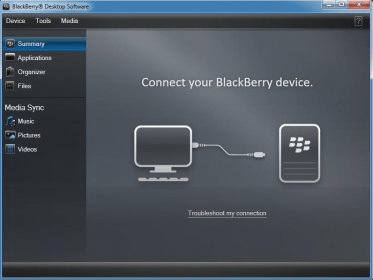
One of the most respected and recognized brands in the overcrowded world of smartphones is Blackberry. Mostly used as business phones, they are excellent communication tools being more close to a computer than a phone. BlackBerry Desktop Manager is a program that manages connections of Blackberry devices to computers, allowing users to perform various operations using different modules.
One of the modules - Media manager - made by Roxio especially for Blackberry, transfers photos, movies, and music to and from the device. It's not a great tool, as transfers are pretty slow and the interface is not very intuitive. Also its size is 200 MB, which is huge for a program that basically transfers and manages files. iTunes does much more and much better, weighing only 90MB.
Speaking of iTunes, Desktop manager has an application, Blackberry Media Sync, that offers synchronization with iTunes and MediaPlayer. It's easier to use this one instead of making play lists in the Media manager. I usually use this module to have the same music on my iPod and my Blackberry.
For users that want to move all their data from a Blackberry, Windows, or Palm phone to another Blackberry, there is a Device switch wizard that does this. The application loader offers an alternative way to directly install / remove applications on the device. It also has an option for updating phone's software.
One of the most useful features of this software suite is "backup and restore data". It performs a full backup of all messages, e-mails, phone records, even device memory data. "E-mail settings and synchronize", in its turn, offers various e-mail backups, syncs, and filtering.
All in all, BlackBerry Desktop Manager is a useful application that covers a large variety of tasks. However, it is far from being perfect, and some improvements in device connection and Media manager can be done.





Comments (13)